The new way to power play
Migrating to our new app Powershop Lab? Lucky you! Download the new app or log in on your browser to get started.
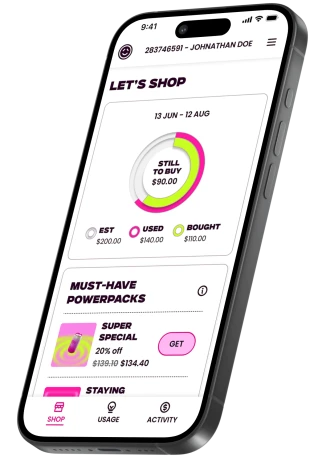
What is Powershop Lab?
We're unleashing a brand new app that lets you hack the system like never before and score the best deals on power. We're making it easier to spot which powerpacks will unlock your biggest discounts. Plus, we're way more reachable now - think lightning-fast phone and email responses.
We haven't unleashed all the bells and whistles just yet, but we're hustling behind the scenes to keep dropping new features that'll make your power game even stronger.
We're all ears for your feedback - what's not clicking for you? What features are you desperately missing? Hit up our survey or ping us by phone or email to tell us what you want to see drop in Powershop Lab next!

How to log in
We've ditched passwords for login links - a safer, slicker way to jump in. Follow the instructions below to log in.
-
1. Download the new app
Download the new Powershop Lab app on the App Store or Google Play on mobile, or open in your browser on desktop.
-
2. Enter your email
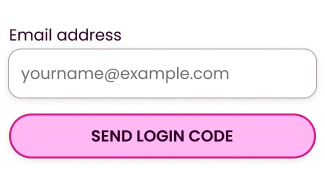
Open the app and punch in your registered email address. We'll zap a special one-time login link and code straight to your inbox.
-
3. Enter login code
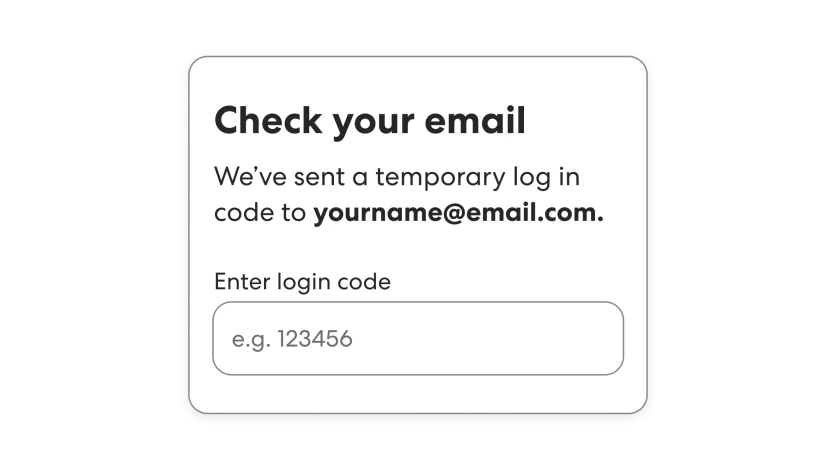
Copy the unique code from our email to login to your account, or just tap the link. (Heads up: the link's got a short fuse, so if it self-destructs, no sweat - just grab a fresh one anytime!)


How to shop
The shop looks a bit different - and you'll only be able to shop one pack at a time for now but the rest of your favorite power-hacking options are ready to go!
-
Powerpacks available
You can now shop all the same powerpacks you usually do - how good!

-
Shopping for packs
One pack per purchase for now sorry - but multi-cart action is on it's way soon.

-
Making a payment
All the payment options and flexibility you know and love are now loaded and ready for you to shop up a storm.


Payments
Add a Credit or Debit card
Add a Credit or Debit card
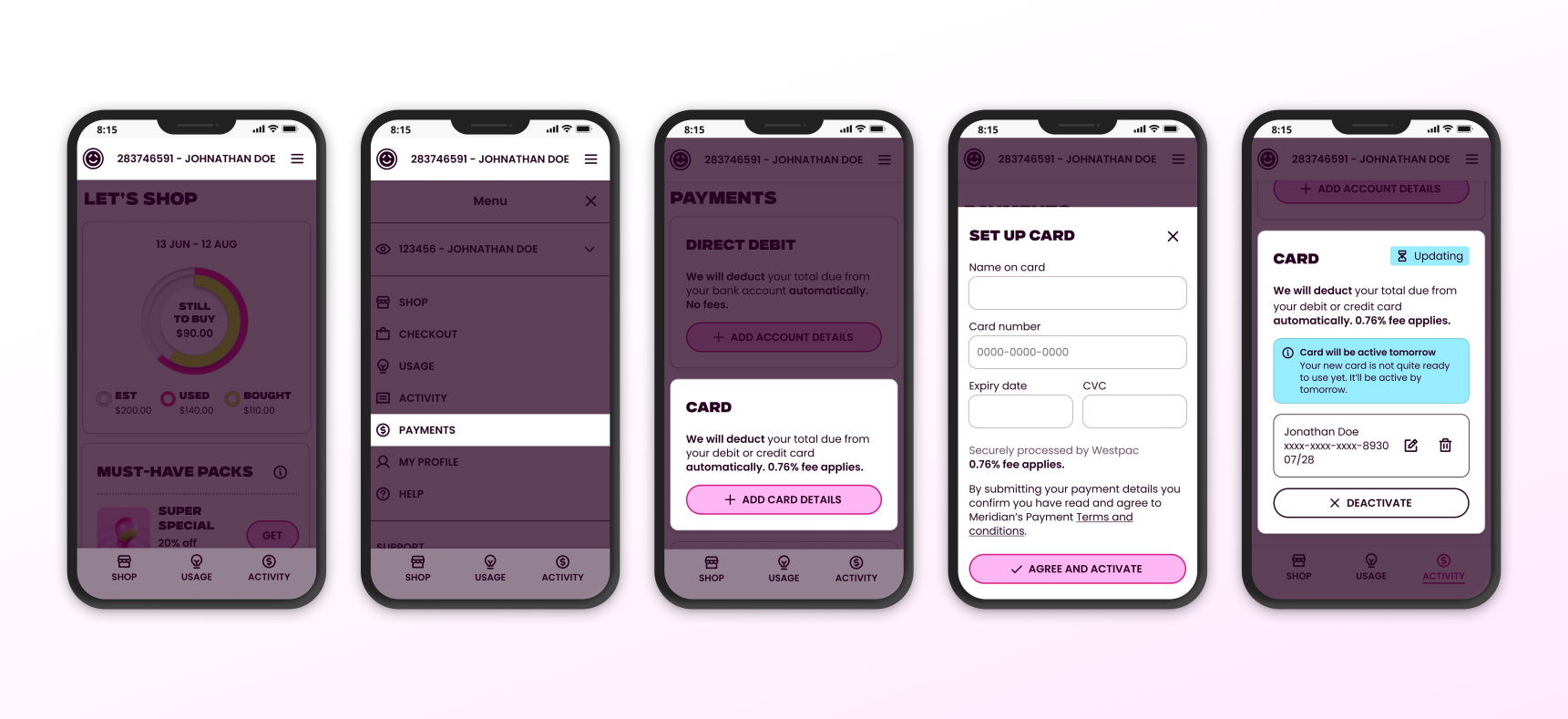
- On mobile tap the menu icon (three horizontal lines) in the top corner of the screen to open the navigation menu.
- Select Payments in the navigation menu. On desktop or tablets the Payments link is located on the left side of the screen.
- Next, tap the ’Add card details’ button. Note: Credit/debit card payments incur a 0.76% card fee.
- Enter your payment details and submit.
- Your payment method is now set up! Note it can take a day or two to update and be ready to use.
If you’d like to change to paying by bank transfer, use the details below or ask your bank to set up automatic or one-off payments.
Add a Direct debit
Add a Direct debit
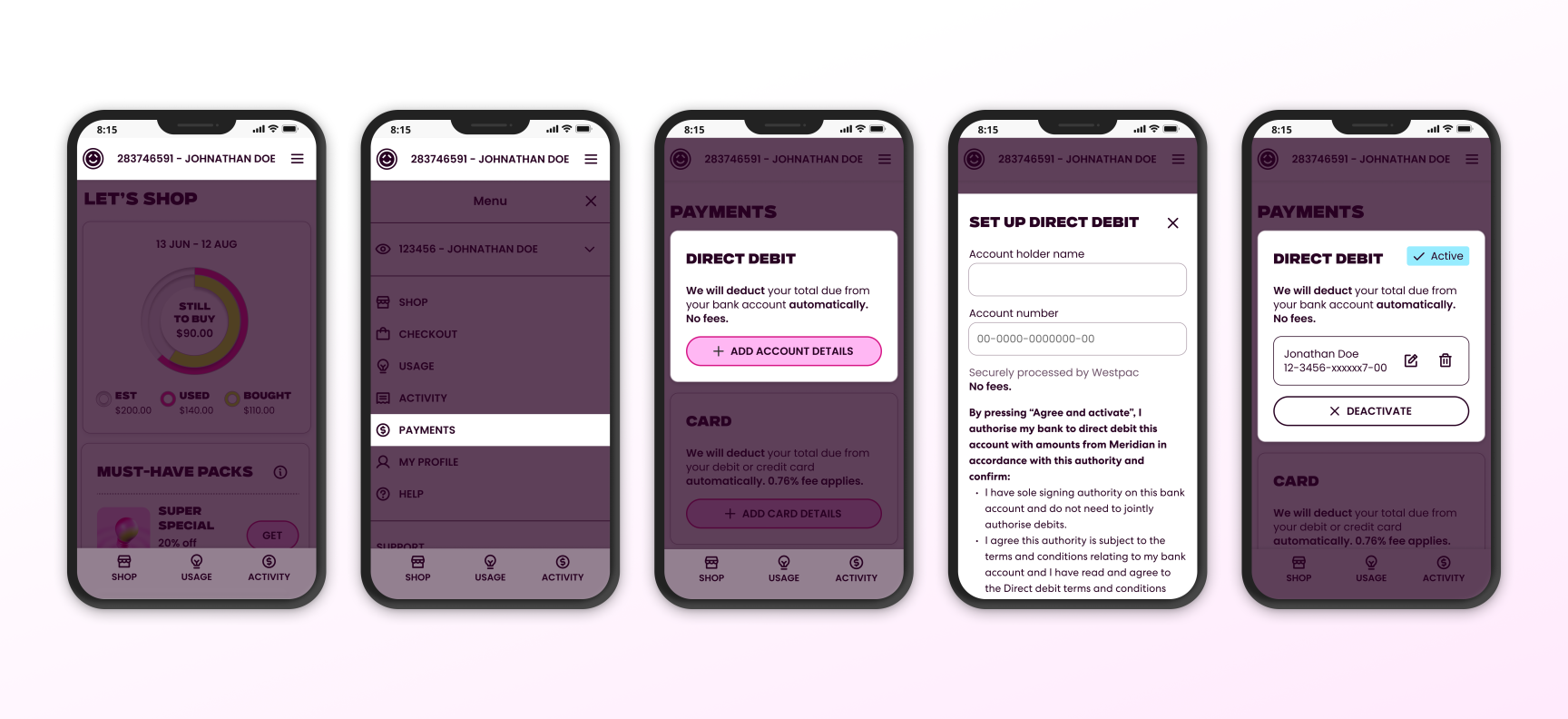
- On mobile tap the menu icon (three horizontal lines) in the top corner of the screen to open the navigation menu.
- Select Payments in the navigation menu. On desktop or tablets the Payments link is located on the left side of the screen.
- Next, tap the ’Add account details’ button.
- Enter your direct debit details and submit.
- Your direct debit payment method is now set up!
Pay by bank transfer
Pay by bank transfer
You can still pay by bank transfer, just log in to your internet banking and follow your bank’s bill payment process the same way you usually do.
Note: Your account number will now start with "A-", so when you get a chance make sure you update your payment reference to your new account number. This will mean we can match your payments much faster. But no stress if you don't – we'll still match up your payments, it may just take a few extra days to work our magic.
Log in troubleshooting
Why haven't I received my login link?
Why haven't I received my login link?
-
Make sure you're using the email address that's on your account.
-
Open the link on the same device you requested it from - security reasons!
- Email playing hide-and-seek? Check your spam folder or grab a fresh link."
My login link isn't working?
My login link isn't working?
-
Open the link on the same device you used to request it - that's how we keep your account locked down tight
-
The code self-destructs after a hot minute, so if yours has timed out, just hit 'request new link'
Why can't I use my password to login instead?
Why can't I use my password to login instead?
Passwords are toast - login links are where it's at. Safer, faster, and way less hassle.
How can I update the email address I use to access my account?
How can I update the email address I use to access my account?
Send us an email at hello@team.powershop.co.nz or give us a call on 0800 462 668.
Why can't I can't access the new app?
Why can't I can't access the new app?
We'll give you a heads up by email when it's your turn to move over to the new app, until then you won't be able to log in to the new app. You can keep using the current Powershop app in the meantime though.
FAQs
As we transition customers onto the new system, there’s a few things to be aware of to make sure you hit the ground running.
Can I use the old app?
Can I use the old app?
Nope - The new app is here to stay and it’s built to be better, faster, and future-proof. Now that your account's settled into its new home, the old app and online portal won't be working anymore. All the good stuff is in the new place!
What's happened to my password?
What's happened to my password?
Passwords are out, login links are in. It’s a safer, faster way to sign in.
Why do I have to enter my payment details again?
Why do I have to enter my payment details again?
If you currently pay by credit or debit card you'll need to re-enter your card details on your account. For security, your payment details have not been transferred and cannot be updated over the phone - so you’ll need to re-enter them in the app before you can make a payment.
Do I need to update Powershop's details in my internet banking?
Do I need to update Powershop's details in my internet banking?
Yes! Your account number will now start with "A-".
If you pay by internet banking, when you get a chance, update your payment reference to your new account number. This will mean we can match your payments much faster. But no stress if you don't – we'll still match up your payments, it may just take a few extra days to work our magic.
Why are there already charges on the new app?
Why are there already charges on the new app?
Anything outstanding on your account in the old app will be carried into the new one. It’s just part of your usual usage, nothing extra has been added.
Have my rates changed?
Have my rates changed?
Nope - your rates are the same!
Where's your old email address gone?
Where's your old email address gone?
For all your service bits and bobs – like bills and account updates – we've got a shiny new email address: hello@team.powershop.co.nz. Do us a solid and pop it in your contacts so you don't miss any of our important messages!
What do I do if I want to process a refund or move house?
What do I do if I want to process a refund or move house?
For now you’ll need to give us a call to process a refund or to move your account to a new address.

Still to come
We're hustling behind the scenes to get more epic features in Powershop Lab ASAP! Here's what's up next:
- Cart: Multi-pack purchases
- View your rates
- View past usage and future usage estimate
- Powerpack purchase history
- In-app notifications
- In-app refunds and house moves
- Multiple properties/accounts visible
- Solar power
Feedback
We want to hear from you - good or bad! Your feedback around where things aren’t working the way they should be or what you’re keen to see next will help us improve the app and prioritise upcoming features.

Get in touch
If you need help or want to chat, get in touch via phone or email using the contact details below